
Best 3D Modeling Software for Architects for 2026
- Monica Kochar
- March 15, 2026
For architects, 3D modeling software makes design easier than ever, but turning those models into full construction documents is still a huge time sink. Even with smarter BIM tools, detailing remains slow, manual, and often frustrating.
- Documentation takes 30-50% of a project’s total cost, far more than most designers realize.
- Contractors demand countless details: every wall, beam, window, and connection needs clear annotations.
- BIM software feels clunky for detailing; even advanced platforms require repeated clicks, manual tagging, and sheet organization.
- Junior and mid-level architects spend hours on repetitive tasks instead of design work.
- Plugins multiply across workflows and different add-ons are needed for dimensions, annotations, renderings, and QC checks, making the process fragmented.
- Even with automation options, the workflow is often disjointed and slow, leading to missed deadlines or overworked teams.
This guide will look at the best 3D modeling tools for architecture and how they can help architects design efficiently, reduce documentation time, and integrate automation layers to streamline the entire workflow.
TL;DR
The 7 tools covered:
- PiAxis: AI-native Revit detailing and documentation automation (best for cutting sheet production time)
- D.TO (Design Together): BIM-native AI detailing with sustainability and assembly guidance
- Snaptrude: Cloud-based platform that converts RFPs into full LOD 300 BIM models in minutes
- Veras: AI-powered photorealistic rendering directly from Revit, SketchUp, or Rhino
- Architechtures: Generative design for code-compliant residential layouts and feasibility
- Autodesk Forma: Early stage site planning with real-time environmental analysis (sun, wind, carbon)
- TestFit: Real estate feasibility platform combining zoning compliance, cost modeling, and massing
Buying criteria: Revit/BIM integration, whether the tool learns from your firm’s standards, automation scope, quality control, scalability, and trial availability.
Red flags to avoid: Tools that require Dynamo scripting, don’t integrate with Revit, never improve over time, restrict trials, or produce output that needs heavy cleanup.
Bottom line: The best AI architecture tool is the one that fits your existing workflow — not the one with the longest feature list. Start with wherever your team loses the most time.
Best 3D Modeling Software for Architecture
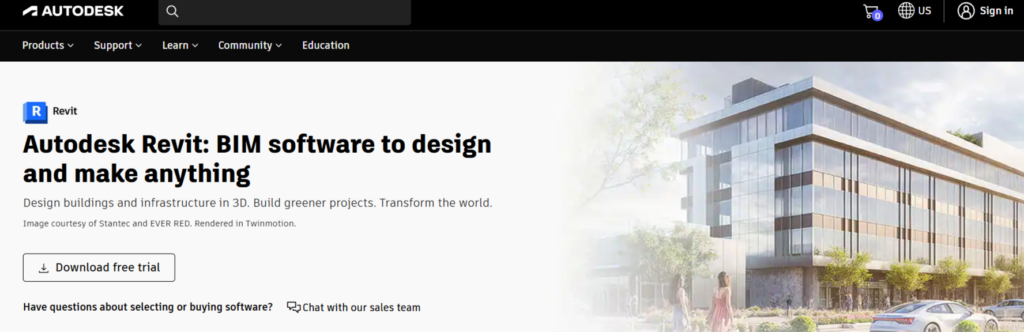
1. Autodesk Revit
Overview
Revit is the tool most architecture teams eventually land on because it’s a complete BIM environment. When you draw a wall, you’re not sketching lines but placing an object that knows what it is, how it behaves, and how it connects to everything around it.
It’s the platform you should choose if you want accuracy, coordination, and a single source of truth instead of fragmented drawings.
Best For:
- Multi-disciplinary coordination
- Detailed, construction-ready BIM models
- Team workflows and shared files
Key Features:
- Parametric Modeling: Walls, doors, windows, and other building elements are not just 2D lines but data-rich parametric objects. Change one parameter (say wall height or window width), and everything attached to it updates.
- Full BIM Workflow: Revit supports complete Building Information Modeling. You can design shapes, structures, and building systems while keeping all project information in one place.
- Interoperability with Other Tools: The software supports common CAD and BIM formats such as IFC, SKP, and 3DM. This makes it easier to work with consultants who use different software.
- Worksharing: You can share, sync, review, and update work to a centrally shared model. This allows multiple users to edit the same model at the same time.
- Schedules and Data Management: Revit can generate schedules for doors, windows, materials, quantities, and more. These schedules stay linked to the model and update automatically.
Pricing:
- $3,005/year for 1 user (pay annually)
- Revit also offers up to 30-day money-back guarantee, and you can lock in your price for 3 years
What are the Pros?
- Revit’s “Worksharing” feature allows multiple team members to work in the exact same file at the same time
Are there any cons?
- Documentation still feels far more manual than it should
Revit for Documentation & Detailing
Even though Revit handles the model beautifully, the shift from model to drawings is where teams often feel their momentum slow down. The geometry is automated, but the annotations still involve far too much repetitive work.
What Revit Does Well
- Generates accurate sections, elevations, and plans directly from the model
- Keeps views coordinated as the design changes
Where the Bottlenecks Start Showing
- Manual Detailing Repetition: Placing dimensions one click at a time across dozens of sheets
- Annotation Chaos: Tags, keynotes, material notes all are still mostly manual
- Sheet Layout Drudgery: Naming sheets, placing views, aligning titles
- Legacy Drafting Workflows: A modern BIM model, but a very “CAD-like” output phase
So… the slowdown happens after the modeling phase, not before.
Here’s how you can fix it!
Automation After Modeling: Where PiAxis Fits
PiAxis is the add-in many teams are now layering on top of Revit because it automates the exact steps that usually drain the most time. It sits inside Revit as a small toolbar, reads your model and firm standards, and handles the repetitive clicking for you.
What PiAxis Automates Inside Revit
- Reads the model
- Applies your documentation rules
- Batch-executes the steps an architect would normally do manually
| Task | Standard Revit Workflow | Revit + PiAxis Automation |
|---|---|---|
| Sheet Creation | Create sheets one by one, rename, drag views manually | Automatically generates all required views and sheets |
| Dimensioning | Click every wall, grid, and opening manually | AI places dimension strings instantly |
| Section Detailing | Add lines and manual tags | Auto-annotation and auto-tagging |
(Jump to the full PiAxis breakdown.)
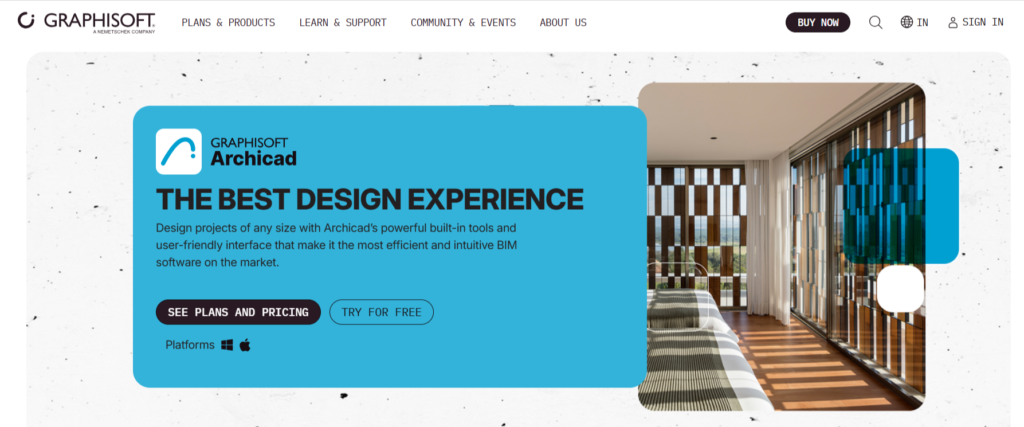
2. ArchiCAD by Graphisofts
| Website | graphisoft.com/archicad |
| Best For | Architectural Design & Open BIM |
| ICP | Architects, integrated design firms, interior designers, urban planners |
Overview
ARCHICAD is a BIM tool that combines intuitive design tools, comprehensive documentation features, and collaborative workflows. It lets you bring architectural ideas to life, produce accurate building documentation, collaborate with teams through open BIM workflows, and deliver projects faster with data-driven design intelligence.
Key Features:
- Quick Element Rotation Shortcut: You can instantly rotate elements 90° with simple keyboard shortcuts for faster modeling adjustments.
- Better View Management: There are tools to filter and select unused views (helps clean up messy projects) and improved control over 3D view resolution (DPI) for sharper outputs.
- Direct Input for Openings in Sections/Elevations: You can place openings (doors, windows, etc.) directly in section or elevation views, even on non-parallel walls, which simplifies modeling in complex geometry situations.
What are the Pros?
- Many users find that ArchiCAD handles documentation more quickly
Are there any Cons?
- Users often highlight feature gaps in ArchiCAD, resulting in disjointed workflows and inconsistent tool performance.
Pricing:
- 30-day free trial
- Pricing starts with upfront payment of $512 + tax / 1-year Subscription Term / seat for BIMcloud
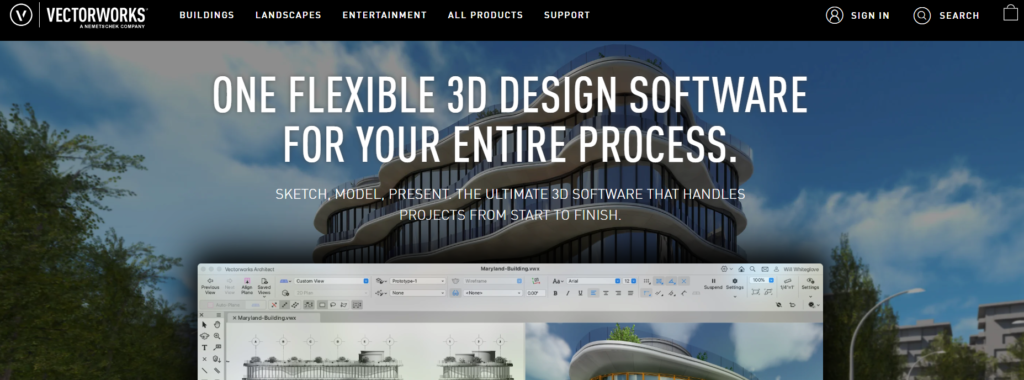
3. Vectorworks
| Website | vectorworks.net/architect |
| Best For | Flexible BIM + strong 2D and rendering |
| ICP | Architecture, landscape, and entertainment design industries |
Overview
Vectorworks Architect is one of those tools that gives architects a lot of creative freedom without locking them into a rigid BIM workflow. It’s built by Vectorworks, Inc. (part of the Nemetschek Group) and is known for its blend of BIM, CAD, visualization, and freeform modeling.
It handles 2D and 3D equally well, supports an unusually wide range of file formats, and keeps everything connected through one model from early design through construction documents.
Key Features:
- Full-lifecycle BIM support: Vectorworks works across every design phase, from pre-design and massing through schematic design and design development all the way to construction.
- Sustainability & performance analysis (built-in tools): You can run energy assessments, get embodied carbon estimates, and get other performance reports directly from the BIM model.
- Depth Cueing: You can add depth and clarity to your drawings, which reduces the need for manual adjustments.
What are the Pros?
- Clients often highlight the helpful and prompt support from the team.
Are there any Cons?
- The software can feel difficult to pick up and users report a steep learning curve.
Pricing:
- You can try it for free.
- Yearly Subscription at $1530
4. AllPlan

| Website | allplan.com |
| Best For | Design-to-build precision with engineering-grade modeling |
| ICP | Architects, design-build teams, structural and precast specialists |
Overview
Allplan is an interdisciplinary BIM platform from the Nemetschek Group, known for its engineering roots and construction-level accuracy. It gives architects, engineers, and contractors a shared environment so everyone works from the same source of truth.
Key Features:
- Cloud Collaboration Through Bimplus: The Bimplus cloud platform allows real-time coordination with consultants. Teams can view models, raise issues, and track changes without everyone needing a full Allplan license.
- High-Precision Modeling with the Parasolid Kernel: Allplan uses the Siemens Parasolid engine for clean modeling and advanced geometry.
- Multi-material design: This helps optimize construction choices, including cast-in-place and precast concrete.
What are the Pros?
- Does not force you into a strict “3D only” workflow. You can work with 2D, 2.5D and 3D, as well as a fully object-oriented BIM working methodology.
Are there any Cons?
- Users find it a bit expensive compared to its alternatives.
Pricing:
- The Allplan Basic plan starts at €119,00/month
5.AECOsim

| Website | bentley.com/openbuildings-designer |
| Best For | Multidisciplinary BIM in one environment, advanced energy simulation, strong for large complex buildings |
| ICP | Infrastructure Architects, Multi-disciplinary Engineering Firms, Transport Agencies, Plant Designers |
Overview
OpenBuildings Designer, or AECOsim, is a full-BIM, multi-discipline building design software from Bentley Systems. It’s built to handle everything from architectural design through structural, MEP, and building performance analysis, all in the same platform.
Key Features:
- Flexible Geometry & Parametric Modeling: It supports solids, free-form geometry, and complex surfaces (B-splines and parametric solids), which makes it suitable for both conventional and highly expressive architecture or industrial geometry.
- Cloud Collaboration & Connected Workflows: Through Bentley’s cloud services (iTwin / ProjectWise / CONNECT environment), teams across locations can coordinate, manage shared models, sync updates, and handle checks or issue tracking seamlessly.
- Generative & Computational Design Tools: Offers tools for parametric and generative modeling (using GenerativeComponents), which helps you quickly explore different design options.
What are the Pros?
- Users appreciate OpenBuildings Designer’s helpful customer support, especially with the yearly subscription.
Are there any Cons?
- Users note that the price of OpenBuildings Designer can be steep compared to similar tools.
Pricing:
- You can try the platform for free
- Starts at $960.00 for Bentley Infrastructure Cloud ProjectWise (12-month subscription license)
Let’s Compare the Best 3D Modeling Tools!
Here’s a quick breakdown:
| Software | Primary Focus | Ideal ProjectScale | Starting Price | Platform |
|---|---|---|---|---|
| Revit | Multi-disciplinary BIM Coordination | Medium to Large Enterprise | $3,005/yr | Windows |
| Archicad | Architectural Design & Open BIM | Solo Studio to Large Enterprise | $512/yr + tax | Windows & Mac |
| Vectorworks | Flexible Design & Graphics | Small to Medium | $1,530/yr | Windows & Mac |
| Allplan | Design-to-Build Construction | Complex Engineering & Precast | €119,00/mo | Windows |
| OpenBuildings | Large-Scale Infrastructure | Mega-Projects (Airports, Rail) | $960.00 | Windows |
Intelligent BIM and the Rise of Automation Layers
Architects never had a problem with BIM being “smart.” The problem is that BIM is smart in all the places you don’t actually need help and manual everywhere you do. You get parametric walls and coordinated sections… but dimensions, annotations, sheet layouts, and standards still eat half your week.
That gap is what’s giving rise to a new category of Intelligent BIM.
In an intelligent BIM workflow, the model stays creative and design-led while the repetitive parts of documentation are handled by automation.
Traditional BIM tools shine during modeling. But once you reach the production phase, architects still spend most of their time doing mechanical tasks. These automation layers sit on top of your BIM or modeling software and take over the grunt work.
What Automation Layers Typically Do
Reduce production workload after modeling is complete by automating tasks like:
- Batch dimensioning across all plans and sections
- Placing annotations, keynotes, and tags based on rules
- Generating and naming sheets
- Running QC checks for missing elements or inconsistencies
- Repeating standard views or detail setups across projects
These tools are not replacements for Revit, Rhino, or ArchiCAD. They’re workflow boosters designed to simplify the last mile of your documentation. For example, for Revit, tools like PiAxis add a new automation layer that reads your entire model, understands your standards, and automates documentation inside 3D modeling software.
Questions to Ask Before Choosing Your 3D Modeling Software
- Does the software help you build a model that can go all the way to documentation without switching tools later?
- How easily can the tool connect to automation or scripting add-ons that reduce repetitive work?
- Can the model stay stable as it becomes more detailed and carries more information?
- Does the software automatically update views and drawings when you change the model?
- Is it widely used by structural, MEP, and other consultants you collaborate with?
- How well does it support templates, standards, and rules set by your office?
- Can AI or scripting tools read the model accurately enough to generate sheets or checks?
- Does the software stay responsive on large projects with many linked files?
- How quickly can new team members learn the tool without risking model quality?
- Is the platform actively investing in intelligent or automated workflows?
PiAxis for Revit: Built for the People Who Actually Draw the Set
You finish the model, everyone nods, and for a brief second you think you’re almost done. Then documentation starts… And suddenly the team is buried in sheets, dimensions, notes, and standards checks that can stretch on for weeks.
Documentation often eats 20-40% of your time, and it’s usually your most experienced people doing work that feels more repetitive than creative.
PiAxis fixes that!
The leading AI-native automation layer for Revit documentation. It sits inside Revit and takes over the parts of documentation that are slow, repetitive, and strangely easy to mess up when you’re tired.
PiAxis…
- Acts like a search engine for your detail library
- Generates sheets automatically based on your firm’s structure.
- Adds annotations that follow your office standards.
- Applies your firm-wide documentation standards automatically.
- Lets you mark the best details as “verified” for future reference.
Handles repetitive documentation steps you normally redo every project.
“PiAxis brings the power and the promise of AI into one of the most time-consuming, tedious, and the “least fun” tasks architects and engineers need to do – creating details. And it works with Revit!"
Lachmi Khemlani, Founder, AECBytes
If Revit is where you choose to do your best work, PiAxis is worth trying just to see how much time you get back. It doesn’t ask you to rethink your process, but it just clears the parts you’ve always wished were faster.
Run it on one project, even a small slice of one, and you’ll know right away whether it makes a difference for your team.
Picking the Right 3D Modeling Software
Modeling the building is only part of the job. In many projects, up to half of the time is spent turning that model into construction-ready documents. Even advanced BIM tools can feel slow and repetitive during this phase.
Revit is ideal for medium to large projects with multi-disciplinary teams, especially when paired with automation tools like PiAxis to handle repetitive documentation.
ArchiCAD works best for solo architects or smaller studios who want fast, intuitive 2D-3D workflows, while Vectorworks gives small to medium teams creative freedom with strong visualization capabilities.
For engineering-heavy, design-to-build projects, Allplan offers precision and collaboration, and AECOsim/OpenBuildings Designer is built for mega-projects and complex infrastructure.
When choosing, think about project size, collaboration needs, documentation speed, compatibility with consultants, team learning curve, and budget. The right software helps your team spend more time designing and less time stuck on repetitive tasks.
Frequently asked questions
1. Is Revit better than ArchiCAD for construction drawings?
Revit shines when multiple disciplines need to stay in the same model, with architects, structural engineers, and MEP all coordinating in one place. On large, complex buildings, that level of control is hard to beat.
ArchiCAD is faster for pure architectural documentation. Its 2D-3D workflow feels smoother, and many architects can put a drawing set together quicker because the software doesn’t get in the way.
2. Revit or Vectorworks, which is better?
It really comes down to the type of work you do.
Revit is the safer choice if your firm deals with consultants, commercial work, or anything that expects BIM standards. Everyone speaks “Revit,” so your workflow stays smooth.
Vectorworks feels lighter and more flexible for small studios, but the moment you need tight coordination or Revit-native files, you hit limitations. Revit wins if you want to stay compatible with most of the industry.
3. What software do large architecture firms use?
Almost all large architectural firms use Revit because it’s one of the few platforms built for multi-office, multi-discipline, large-scale BIM. Its collaboration features are stable, tested, and widely supported.
ArchiCAD shows up in some European practices, but when those firms work internationally, they switch to Revit to match consultant expectations.
4. How much does BIM software cost?
Revit might look expensive upfront, but you get the ecosystem and the predictability. Your consultants, contractors, plugins, training resources, and libraries are already there. ArchiCAD and Vectorworks are cheaper, but once you add training, hardware, cloud storage, and coordination overhead, the cost difference shrinks.
For firms working on complex or consultant-heavy projects, Revit delivers more value per seat because it reduces coordination problems that end up costing far more than the license fee.
5. How can architects reduce documentation time?
Most of the time savings come from removing repetitive work such as building a solid detail library, using sheet templates, automating tags and dimensions, and letting juniors handle drafting while seniors focus on setup and QA. Revit helps here because the model drives your drawings, with one change updating everywhere.
PiAxis fits into this mold by taking the grunt work further. It streamlines workflows around repetitive documentation tasks, keeps your libraries organized, and cuts down the hours lost on manual coordination. You still use your usual BIM tool, but PiAxis makes the whole process move faster and cleaner.