×

Pi brings old projects into a single library. Allow juniors access only to verified details. Search for details using a Google like search. Download selected details into Revit in 5 seconds
PiAxis brings the power and the promise of AI into one of the most time-consuming, tedious, and the “least fun” tasks architects and engineers need to do – creating details. And it works with Revit!

PiAxis delivers clear value in quicker and more effective project delivery. Faster access to relevant details, auto detailing per firm standards, and better consistency across drawings makes it a useful addition to Revit workflows.

Most firms have thousands of construction details buried inside old Revit files. Finding the right one means:
This wastes time, creates inconsistencies, and leads to costly errors.
Pain: Details are locked inside past models and impossible to search.
No credit card required!
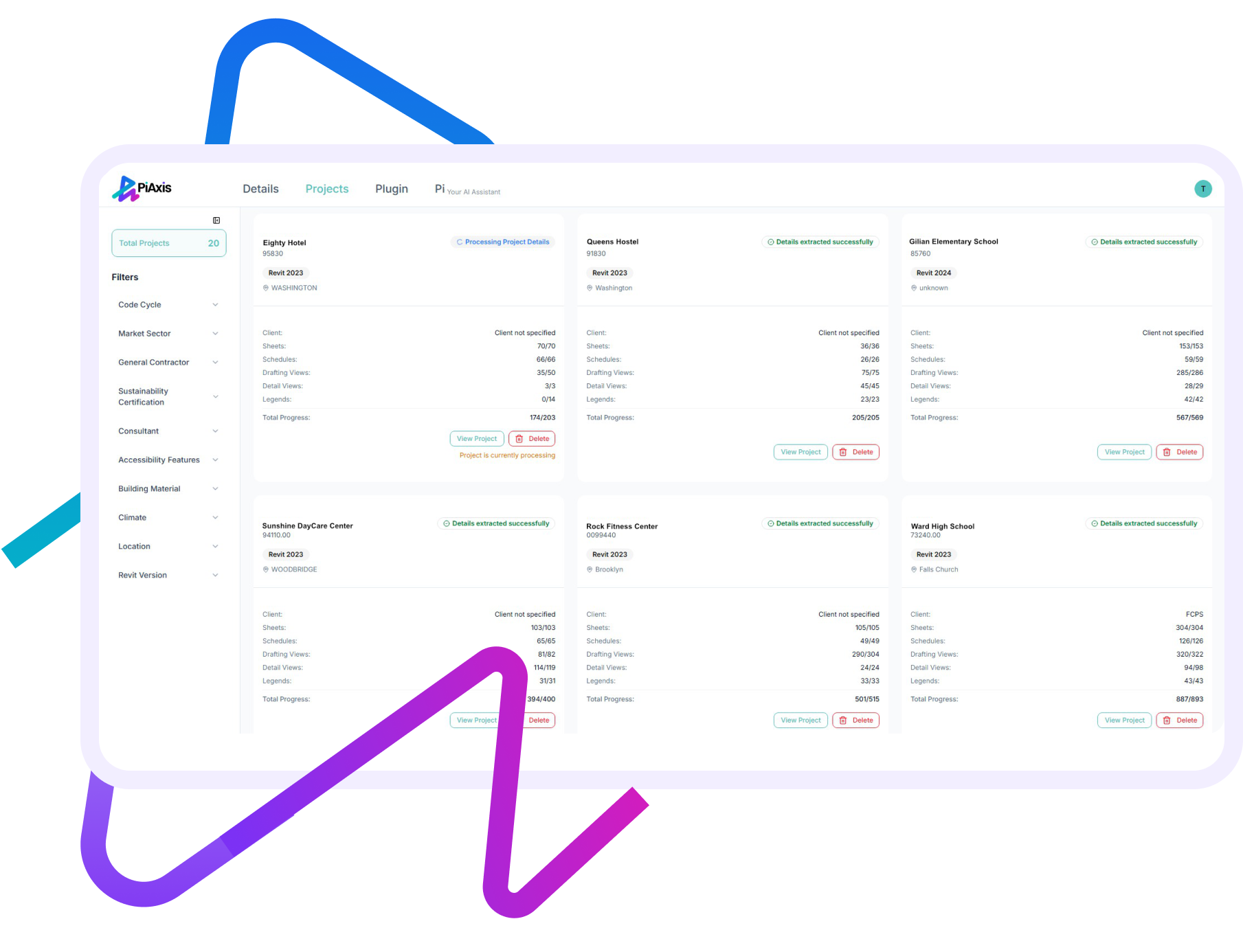
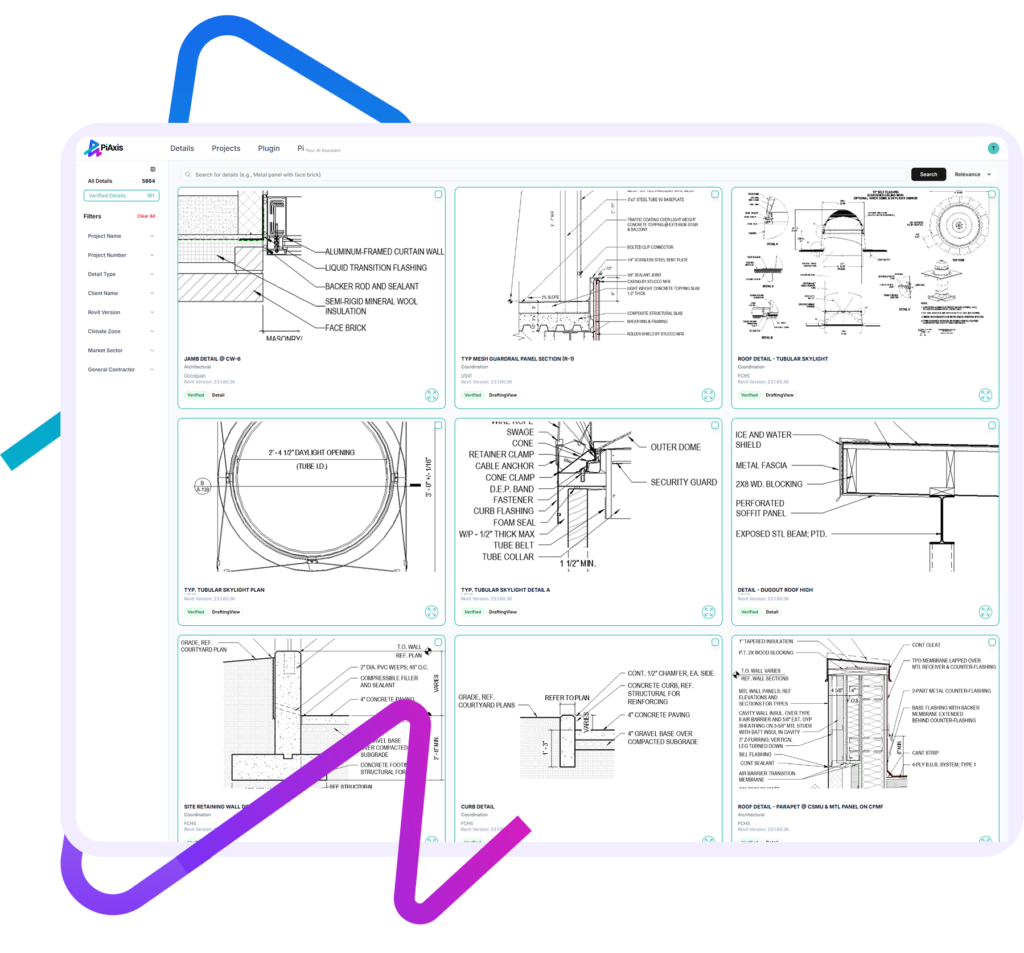
Pain: Junior team members don’t know which details are approved.
No credit card required!
Pain: Searching manually or asking around slows teams down.
No credit card required!
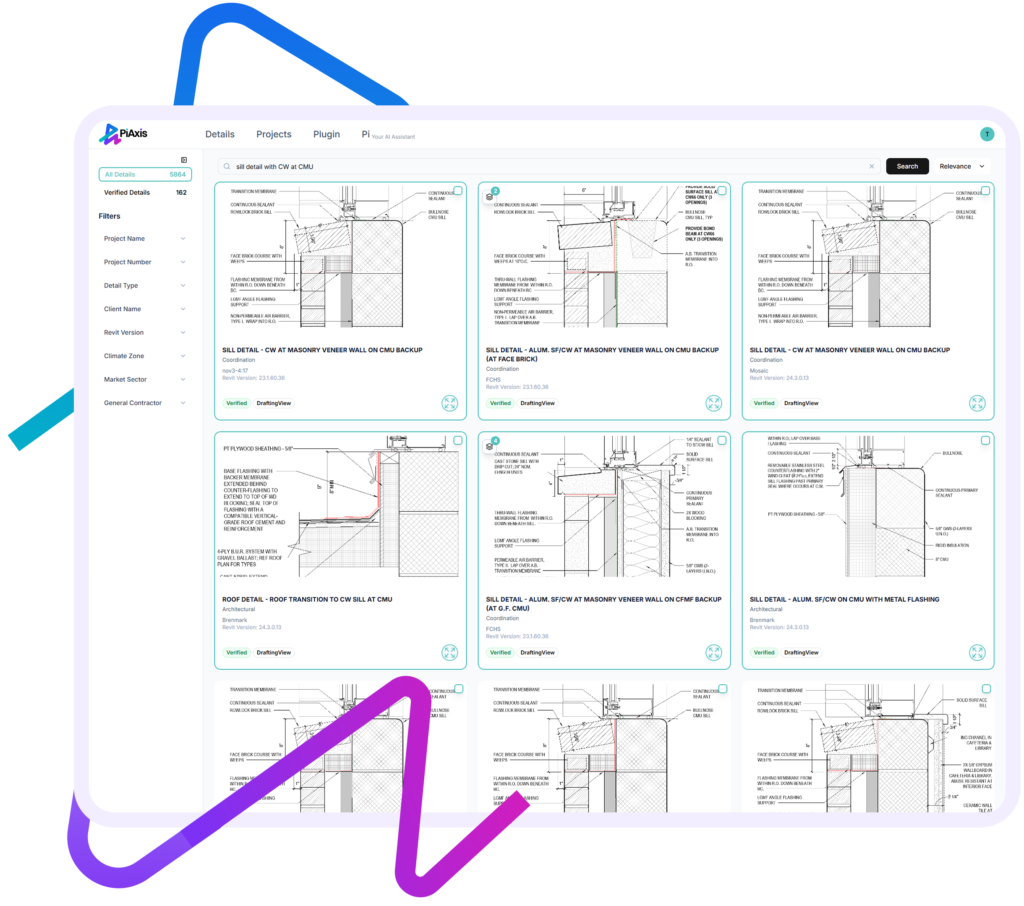
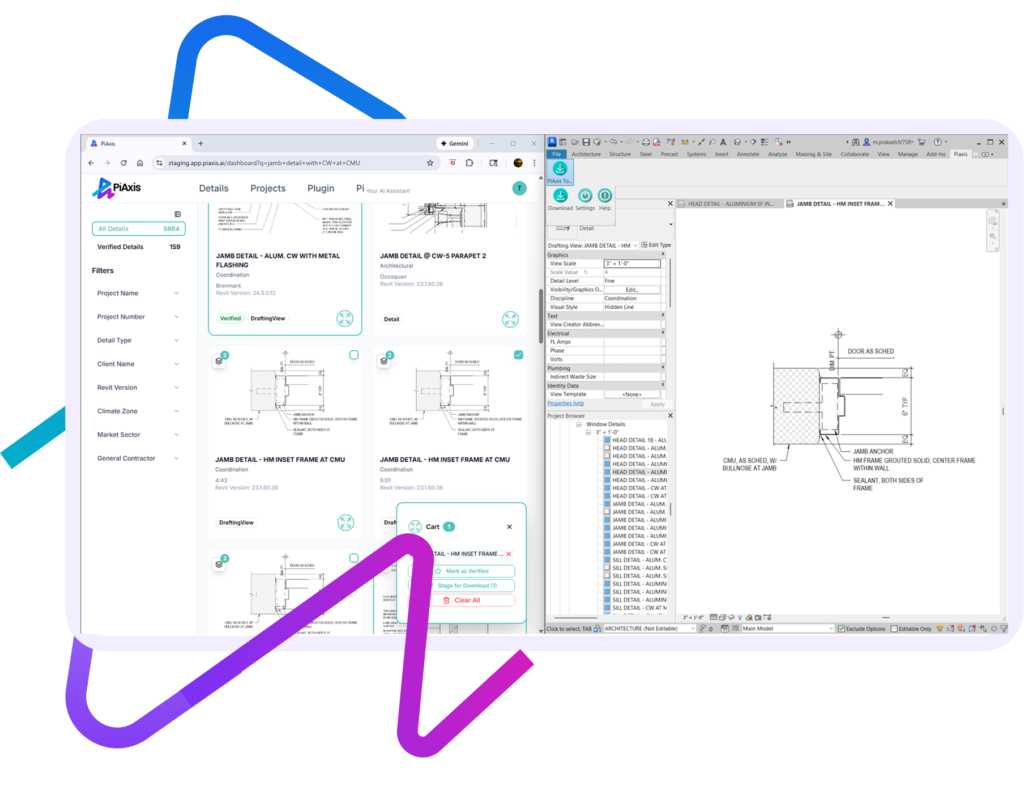
Pain: Traditional libraries break Revit workflows.
No credit card required!
PiAxis helps organize, search, and reuse existing design information more efficiently. In documentation workflows, this often means surfacing relevant precedents, standards, and details much faster.
PiAxis, for example, makes a firm’s detail library intelligent and searchable, allowing teams to quickly find and reuse trusted details directly within Revit rather than recreating them from scratch.
No. PiAxis does not replace professional judgment or design intent. It supports architects and engineers by reducing repetitive documentation tasks and improving access to firm knowledge.
With PiAxis, teams stay fully in control—AI assists with finding and preparing details, while all design decisions remain with the project team.
PiAxis is highly reliable because it is grounded entirely in your firm’s own, vetted documentation. It works as an assistive tool—not an author—by finding, organizing, and reusing existing firm-approved details rather than generating unfamiliar or external technical solutions.
All outputs remain fully controlled by your team, and existing review and QA/QC processes stay exactly the same. PiAxis simply helps teams work faster and more consistently while preserving professional judgment and accountability.
Yes. When AI is trained on a firm’s own documentation, it can reflect internal standards and preferences. PiAxis learns from your firm’s existing detail library, allowing outputs to align with how you already document—not introducing generic or one-size-fits-all content.
The best AI tools in architecture and engineering are those that integrate seamlessly into existing workflows and help teams work faster without compromising quality or control. Today, AI is commonly used for design visualization, documentation efficiency, and knowledge management.
For design documentation, tools like PiAxis support both architects and engineers by making firm-approved details easy to find, reuse, and standardize directly within Revit. This improves speed, consistency, and coordination across projects while keeping professional judgment in human hands.
PiAxis can centralize and make accessible details and precedents that typically live in scattered project folders or individual experience.
PiAxis captures institutional knowledge embedded in your details and makes it easily accessible to teams across projects and offices, reducing reliance on tribal knowledge.
3x ROI in 1 Year
3x ROI in 1 Year
No credit card required!
PiAxis is an AI-powered architectural detailing tool for Revit that learns your firm’s standards and past projects, generates Revit-ready details, and automates annotations – cutting documentation time by over 60%. Turn mundane Revit detailing into an automated workflow, while being in full control.
PiAxis brings the power and the promise of AI into one of the most time-consuming, tedious, and the “least fun” tasks architects and engineers need to do – creating details. And it works with Revit!
PiAxis delivers clear value in quicker and more effective project delivery. Faster access to relevant details, auto detailing per firm standards, and better consistency across drawings makes it a useful addition to Revit workflows.
This slows down delivery and is an expensive design phase:
This slows down delivery and is an expensive design phase
Pain: Starting from scratch or guessing which detail to use.
No credit card required!
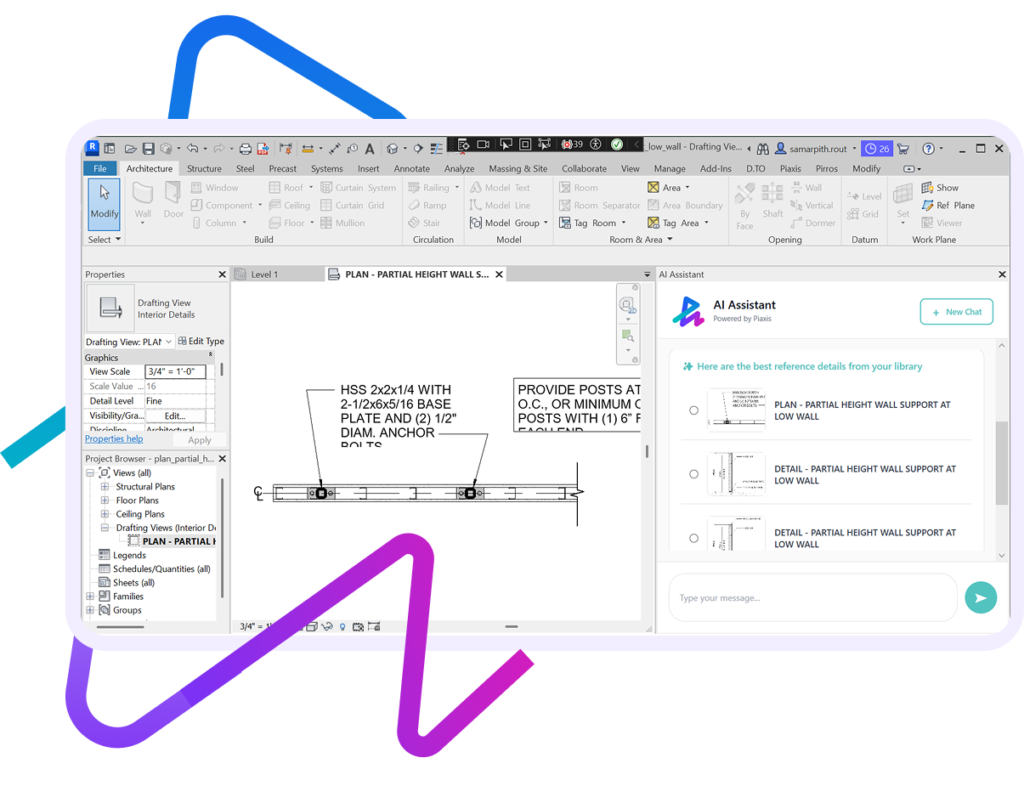
Pain: Editing details manually is time consuming.
Pain: Manual component placement is tedious.
No credit card required!
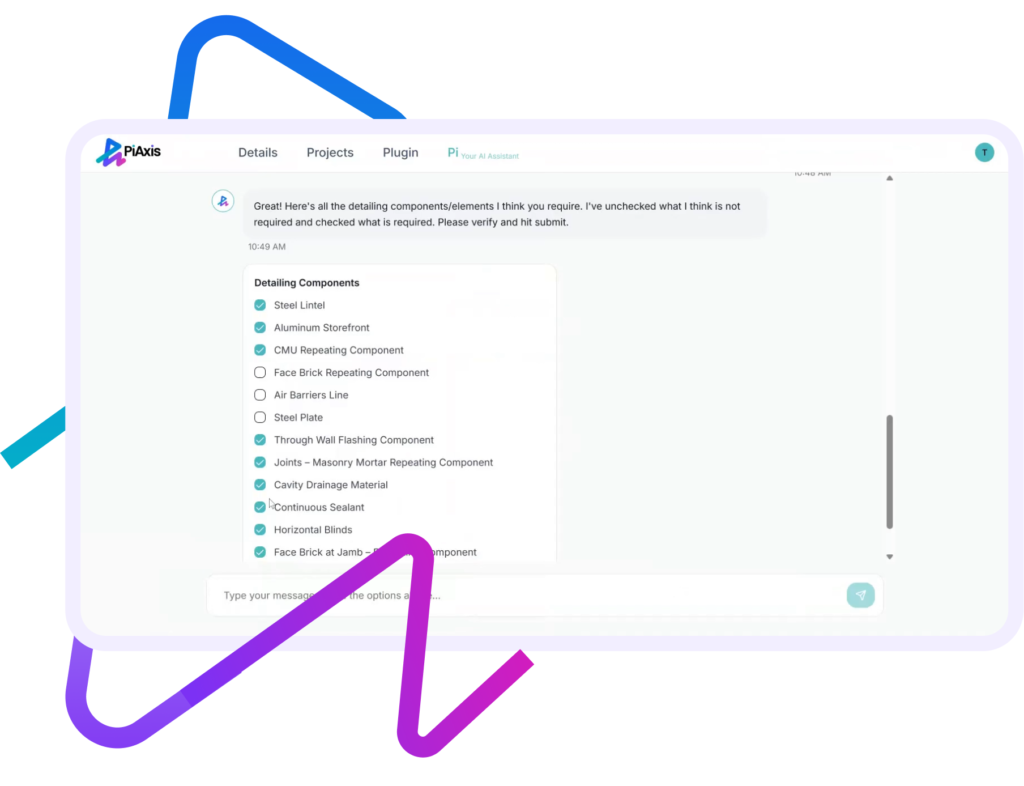
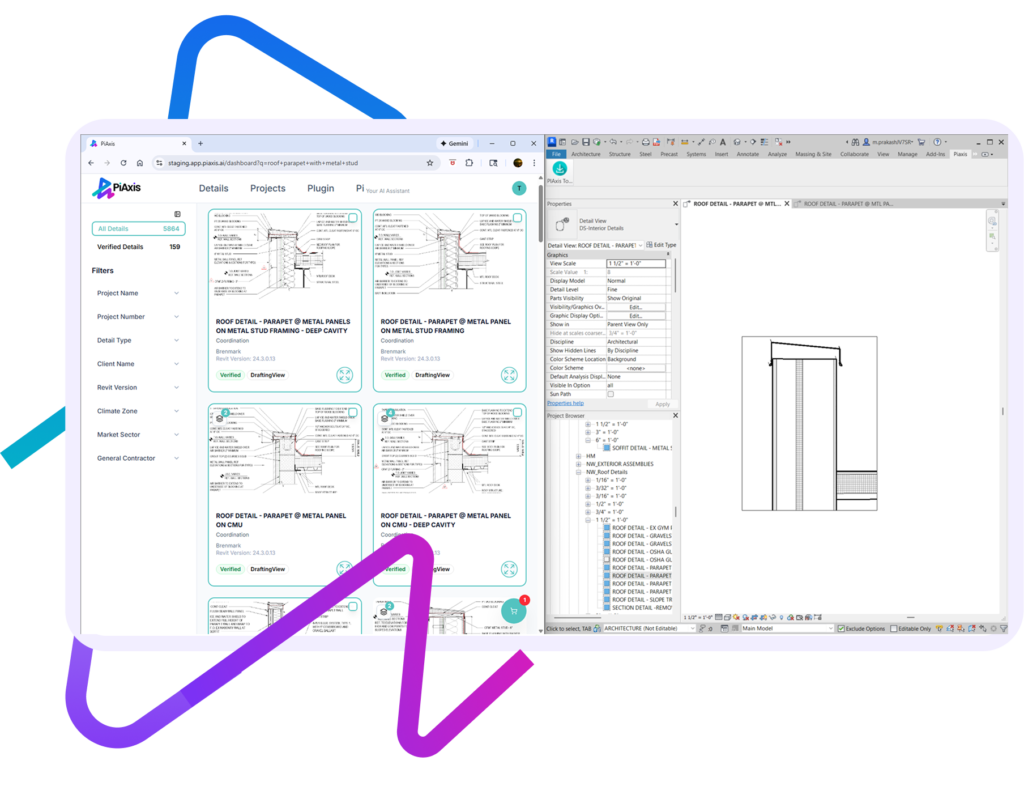
Pain: Manual resizing leads to errors and inconsistencies.
Pain: Manual component placement is tedious.
No credit card required!
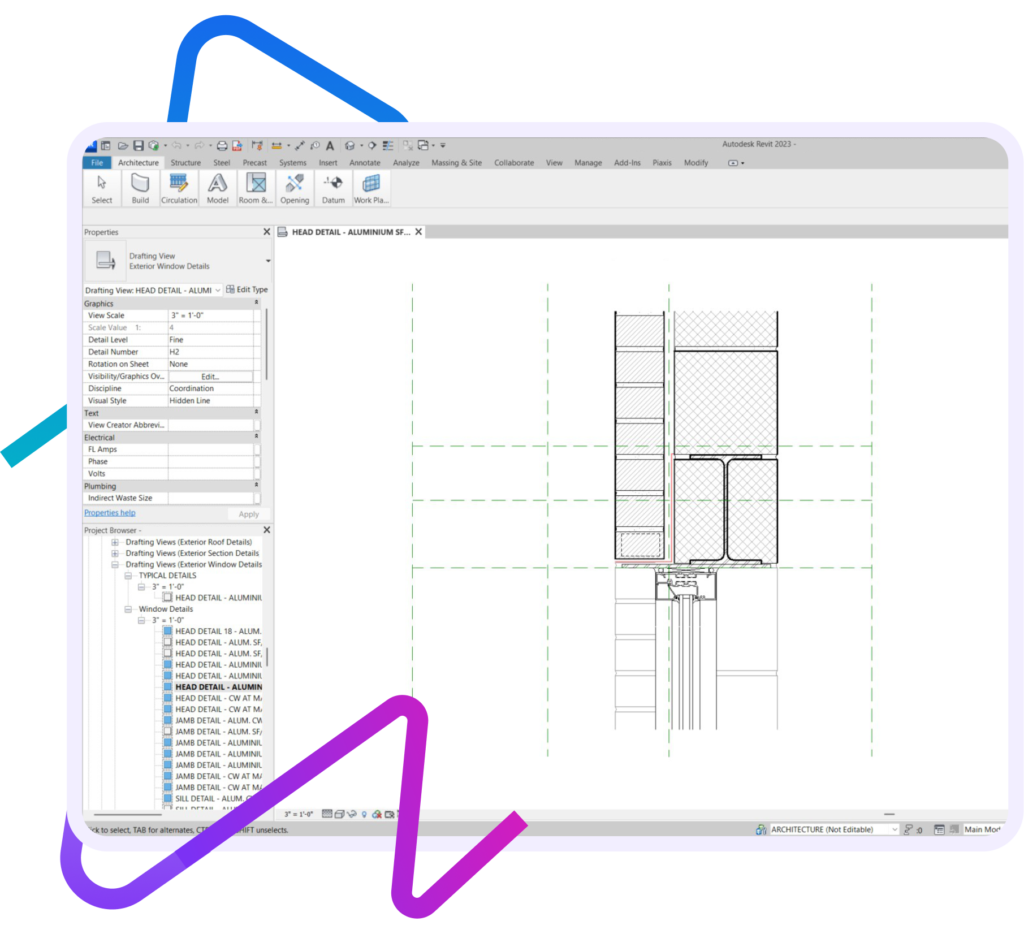
PiAxis saves significant time in Revit by removing the slowest and most repetitive parts of the detailing workflow:
The most effective PiAxis solutions work within existing AEC workflows.
PiAxis integrates directly into Revit, allowing teams to search, load, and reuse details without leaving their documentation environment.
Absolutely. PiAxis uses enterprise-grade security, encryption, and permission controls. Your data stays private and is never shared or used to train external models. We are a SOC Level II certified company.
No. While large firms benefit from scale, small and mid-sized firms often gain immediate value by organizing legacy details and reducing repetitive work.
PiAxis is useful for any firm with a growing detail library or multiple people contributing to documentation.
PiAxis is designed for:
PiAxis helps architecture and engineering teams save time and improve consistency in design documentation—especially during callout detailing. By making your firm’s Revit detail library intelligent and searchable, PiAxis allows teams to quickly find the right base detail, adapt it for specific callouts, and avoid recreating details from scratch.
Key benefits include faster callout detailing, better reuse of firm standards, improved consistency across projects and teams, reduced rework, and quicker onboarding for new staff—all delivered seamlessly within existing Revit workflows.
×