×

Pirros is a detail management platform that helps firms organize, tag, and surface existing Revit details from past projects. PiAxis does all of that, and goes further. It uses AI trained on your firm’s standards to auto-suggest relevant details the moment you place a callout in Revit, and can generate new project-ready details based on your firm’s historical work. Where Pirros is a governed catalog, PiAxis is an active AI co-pilot embedded directly in your Revit workflow.
Pirros excels at managing and governing your existing detail library. PiAxis goes a step further by using AI trained on your firm’s standards to:
The result: your team stops redrawing and starts deploying.
No credit card required!
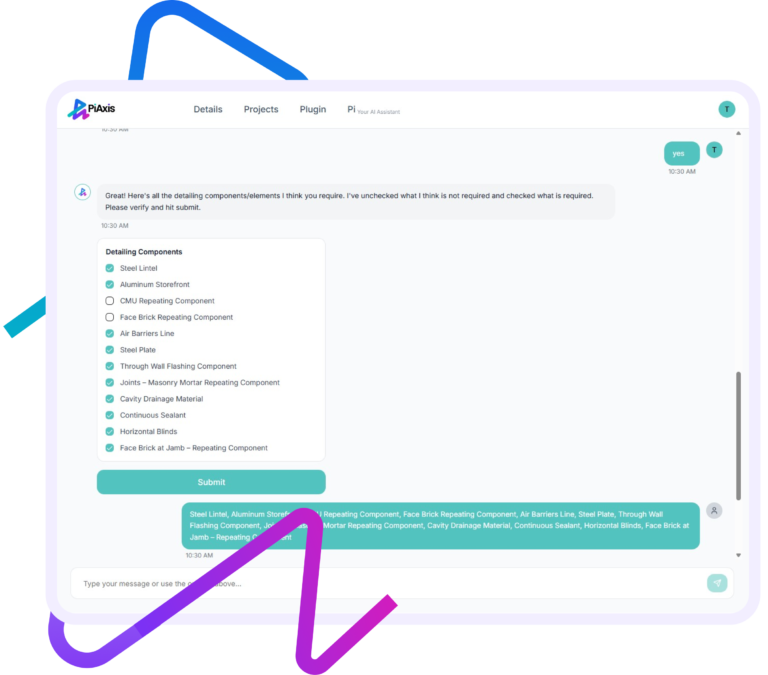
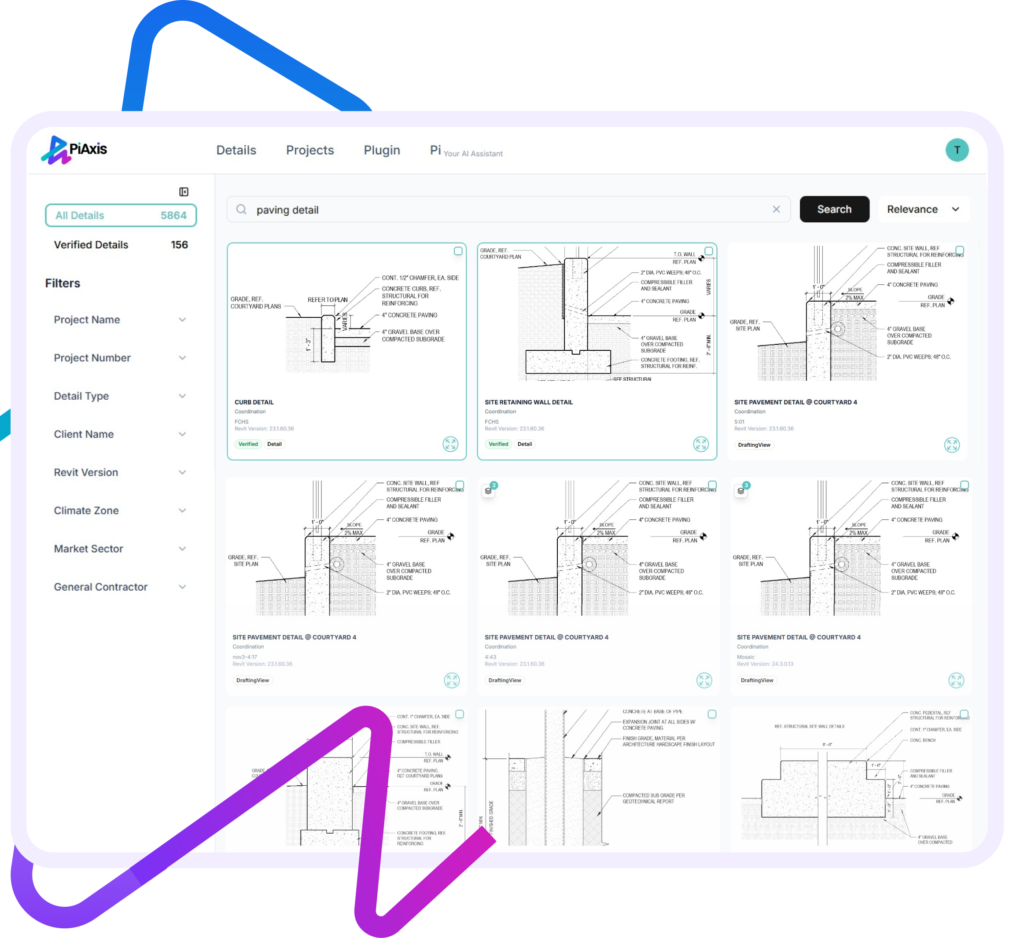
PiAxis adds a natural language layer to the component search. Your team can search the way they think, not the way the file was named.
No manual tagging required.
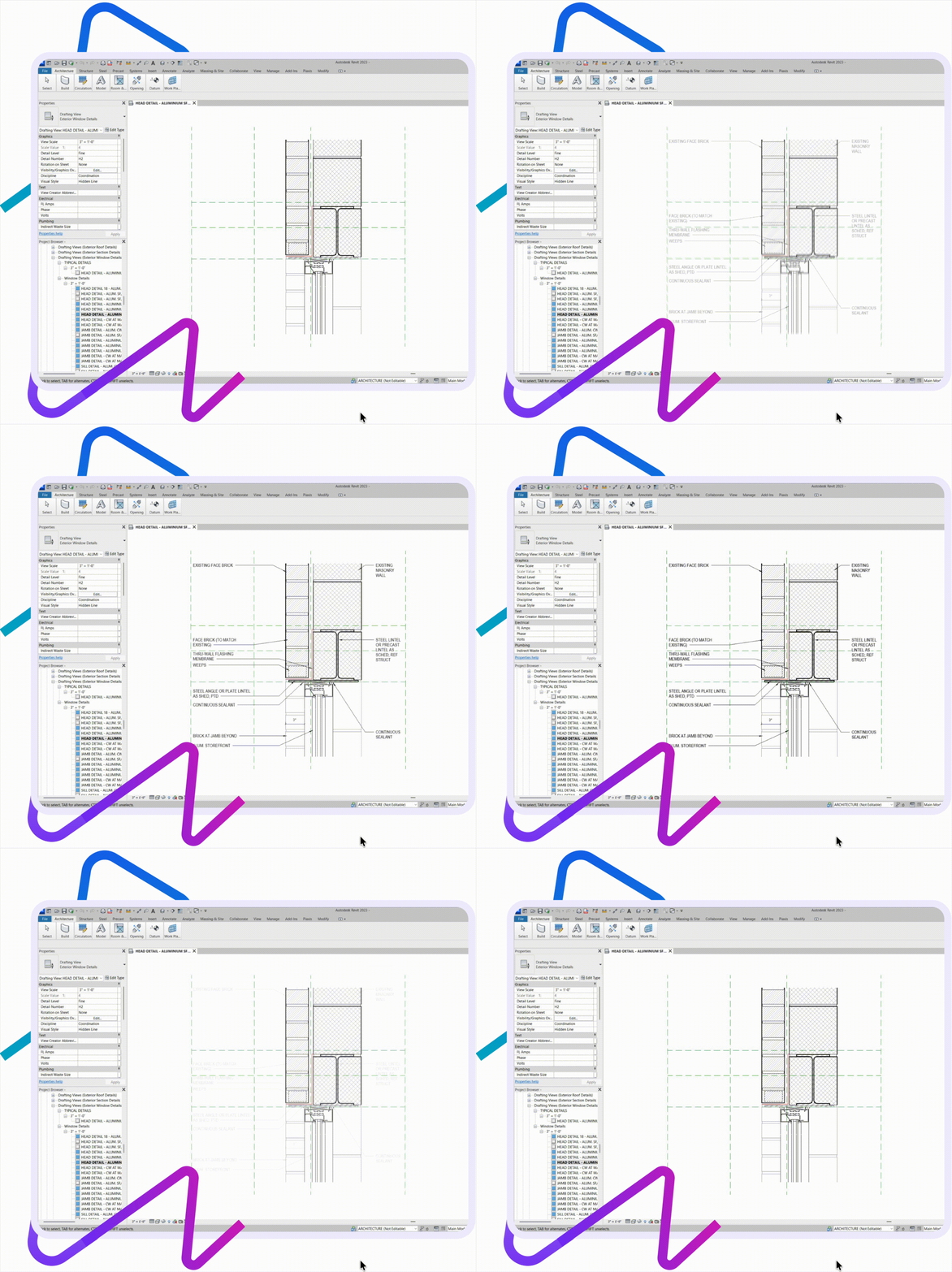
PiAxis understands the context of what you’re drawing in real time. When you place a callout, PiAxis automatically surfaces the most relevant firm-approved details. This reduces:


Capability |
PiAxis |
Pirros |
|---|---|---|
| Detail Library Management | ✅ Core strength — organize, index, categorize, and govern firm details | ✅ Core strength — organize, tag, filter, and govern details |
| Search & Retrieval | ✅ Google-style + natural language / ChatGPT-style search across project history | ✅ Keyword, tag, and metadata-based search |
| Filtering & Organization | ✅ Filters by type, system, usage, standards, and project context | ✅ Filters by metadata, tags, project, and discipline |
| Context-Aware Auto-Suggestion | ✅ Automatically suggests relevant details based on the active callout/context in Revit | ❌ Not available — user must initiate every search |
| Context-Aware Intelligence | ✅ Understands what the architect is working on and proactively surfaces relevant details | ❌ User-initiated search only |
| AI Detailing Assistant | ✅ AI agent trained on firm standards generates project-ready details directly in Revit | ❌ No AI detail generation |
| Detail Creation / Augmentation | ✅ Generate or adapt details from firm standards and past work | ❌ Cannot generate new details — organizes and indexes existing ones only |
| Integration with Revit | Deep, context-aware integration — search, auto-suggest, and generate details inside Revit | Strong integration for upload/download and syncing with Revit models |
| Knowledge Retention | ✅ Converts past firm work into a living, evolving AI knowledge system | ✅ Preserves and surfaces approved historical details |
| Rework Reduction | ✅ Reuse + AI generation + proactive suggestions | ✅ Reuse of cataloged details only |
| Guiding Junior Staff | ✅ AI guidance + contextual suggestions + firm standards embedded in workflow | ❌ Relies on curated libraries and manual training |
| Standards Enforcement | ✅ AI trained directly on firm standards ensures consistency | ✅ Enforced via vetted libraries and approval workflows |
| Analytics & Usage Insights | Emerging — on roadmap | ✅ Strong — tracks detail usage and supports vetting workflows |
| AI Depth | Generative + predictive + contextual (detail documentation-centric) | Organizational / classification-focused (catalog-centric) |
Firms evaluating Pirros often find that a well-organized catalog is only half the battle. Retrieving the right detail at the right moment, and generating new ones without starting from scratch, requires a layer of intelligence that Pirros doesn’t offer.
Over time, the system becomes more valuable with every project.
PiAxis is ideal if your firm wants to:
Pirros may be better if your primary goal is:
PiAxis brings the power and the promise of AI into one of the most time-consuming, tedious, and the “least fun” tasks architects and engineers need to do – creating details. And it works with Revit!

PiAxis delivers clear value in quicker and more effective project delivery. Faster access to relevant details, auto detailing per firm standards, and better consistency across drawings makes it a useful addition to Revit workflows.

×