Standardize, Reuse, and Scale Architectural Detailing Across Offices
By turning past Revit projects into an intelligent system, PiAxis eliminates redrawing of details, reduces QA effort, and ensures every team works from the same verified details.
PiAxis for Large Architectural Firms
The Problem Large Architecture Firms Face
- Fragmented detail libraries across servers and legacy projects
- Senior architects repeatedly answering detailing questions
High QA/QC effort late in CDs - Every hour spent searching or redrawing is work you’ve already paid for once.
Each coordination failure costs profit and credibility.
How PiAxis Helps Large Architectural Firms
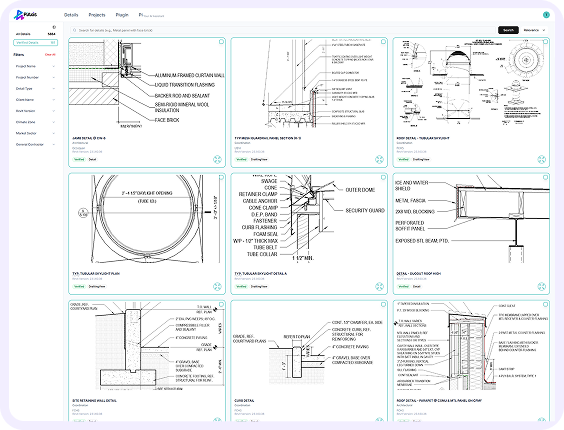
Intelligent Detail Library
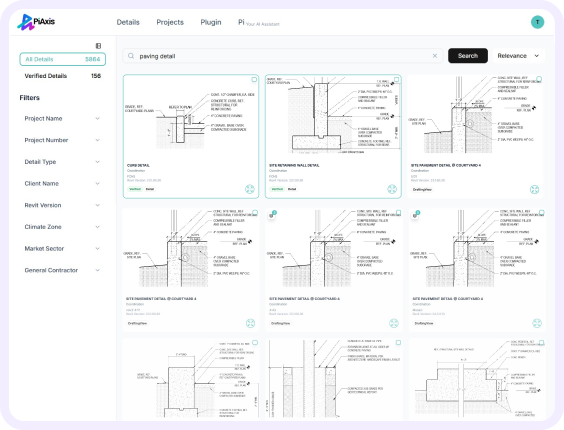
- Centralizes all past Revit details into one AI-searchable library
- Uses metadata to search (project type, climate zone, materials) instead of folders
- Allows firm leaders to mark and control Verified standard details
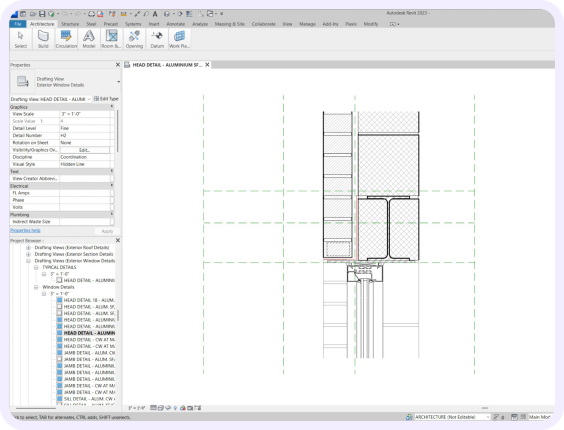
- Modifies old details to match new project conditions using AI
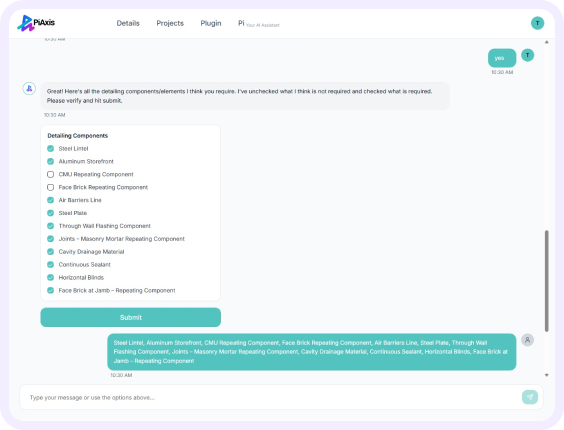
- Auto-places and resizes components to firm standards
- Automatically annotates details
Why Large Firms Choose PiAxis
- 2x faster detailing, improving project margins
- Google-style search across all projects
Consistent detailing standards across every office
- Faster onboarding of junior architects
- Reduced QA/QC cycles
Coordinate, Standardize, and Deliver Discipline-Aligned Details
PiAxis helps large engineering firms standardize details across disciplines, reduce RFIs, and improve coordination—directly inside Revit.
PiAxis for Large Engineering Firms (Structural, MEP, Civil)
The Problem Large Engineering Firms Face
- Fragmented libraries across structural, MEP, and civil teams
- Multiple versions of standard details across offices
- RFIs caused by inconsistent references
- Engineering knowledge lost with staff turnover
Each coordination failure costs profit and credibility.
How PiAxis Helps Large Engineering Firms
Intelligent Detail Library
- Unifies architectural, structural, and MEP details
- Enables search by system, material, performance, or code
- Allows senior engineers to verify and approve standards
- Preserves engineering judgment as a firm asset
- Finds closest reference details across disciplines
- Adapts details to new project conditions
- Auto-places, resizes, and annotates components
Why Large Engineering Firms Choose PiAxis
- 2x faster detailing, improving margins
- Fewer RFIs and field issues
- Reduced QA and senior review effort
- Cleaner, more coordinated documents
- Lower technical and delivery risk
Free Engineers to Focus on Analysis, Not Redrafting
PiAxis helps lean engineering teams reuse proven details, reduce rework, and deliver faster—without overloading senior engineers.
PiAxis for Small to Mid-Sized Engineering Firms
The Problem Small to Mid-Sized Engineering Firms Face
- Engineers spending hours searching for past details
- Repeated redrawing of standard assemblies
Heavy reliance on a few senior engineers - Errors from outdated details
- Last-minute fixes and stressful deadlines
How PiAxis Helps Small to Mid-Sized Engineering Firms
Intelligent Detail Library
- Makes past structural and MEP details instantly searchable
- Captures engineering knowledge before it’s lost
- Ensures reuse of validated solutions
- Adapts reference details automatically
- Auto-places, resizes, and annotates components
- Reduces reliance on senior engineers for routine work
Why Small to Mid-Sized Engineering Firms Choose PiAxis
- 2x faster documentation with the same team
- Fewer rework cycles and RFIs
- AI-powered detail search
- Automatic sizing and annotation
- Lightweight setup with fast ROI